A budget that fits your routine
Choose the accounts and categories to include, then set a period that suits the way you organize money. Follow everyday expenses or create a focused plan for something like household shopping.

MONI / BUDGETS
From groceries to weekend plans, a budget puts everyday spending in perspective. Moni shows what you planned, what you have spent and what is left for the period you choose.
Download on the App StoreFor iPhone and iPad · Free download with in-app purchases
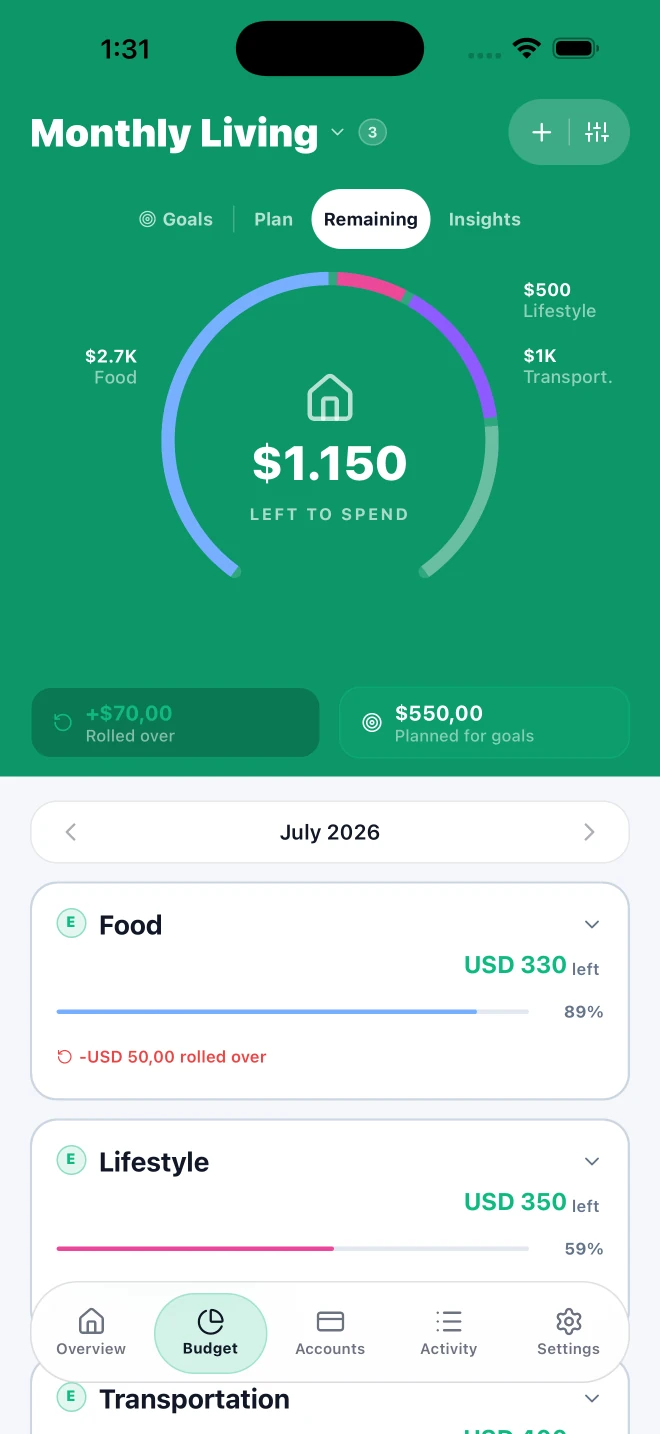
Choose the accounts and categories to include, then set a period that suits the way you organize money. Follow everyday expenses or create a focused plan for something like household shopping.
As you record transactions, check how much you have spent and what is left in the budget. That picture gives you context before your next purchase; the amounts reflect the information you keep in Moni.
Review previous periods to recognize recurring expenses and understand how your budget changes. Your history shows what happened to help you plan the next period.
When you organize money with others, you can choose budgets to share with your household. People with access can consult the same plan and keep a clearer shared picture.
LET’S CLEAR THINGS UP
Yes. Choose the accounts and categories included in your budget, along with the period you want to follow.
A budget helps you organize spending over a period. A goal lets you set a savings target and date, then follow the contributions you record.
No. You record your financial information and choose how to organize it. You can get started without sharing your bank credentials.
A LITTLE MORE CLARITY, STARTING TODAY.
Available for iPhone and iPad